See SellerLens in action
A quick guided tour of the dashboard, orders, inventory and reports, no sign-up needed.
No card required
Step 1
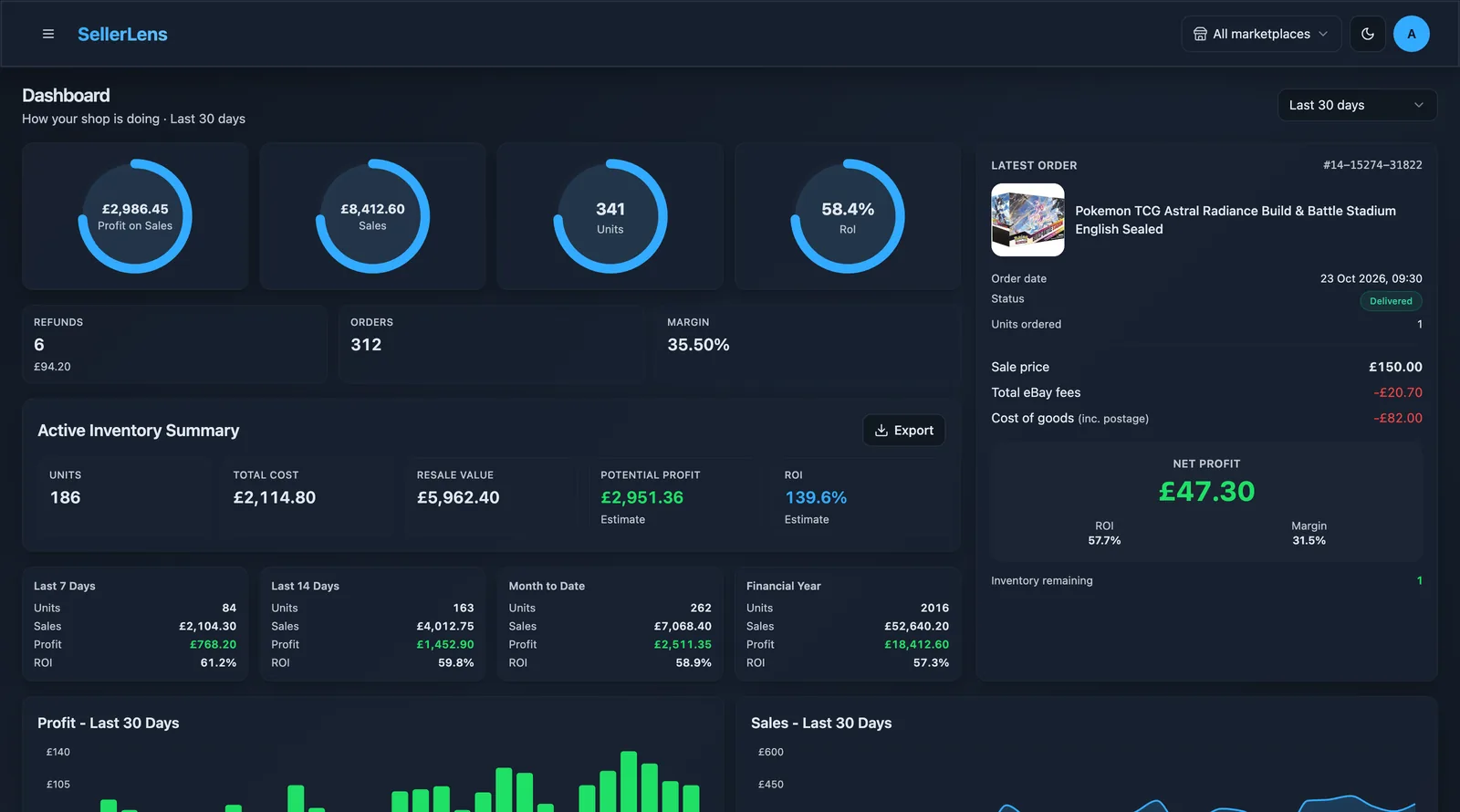
Dashboard, your real profit at a glance
See net profit, fees, refunds and margin for today, this week, this month, or any custom range. All pulled live from your eBay account.
Step 2
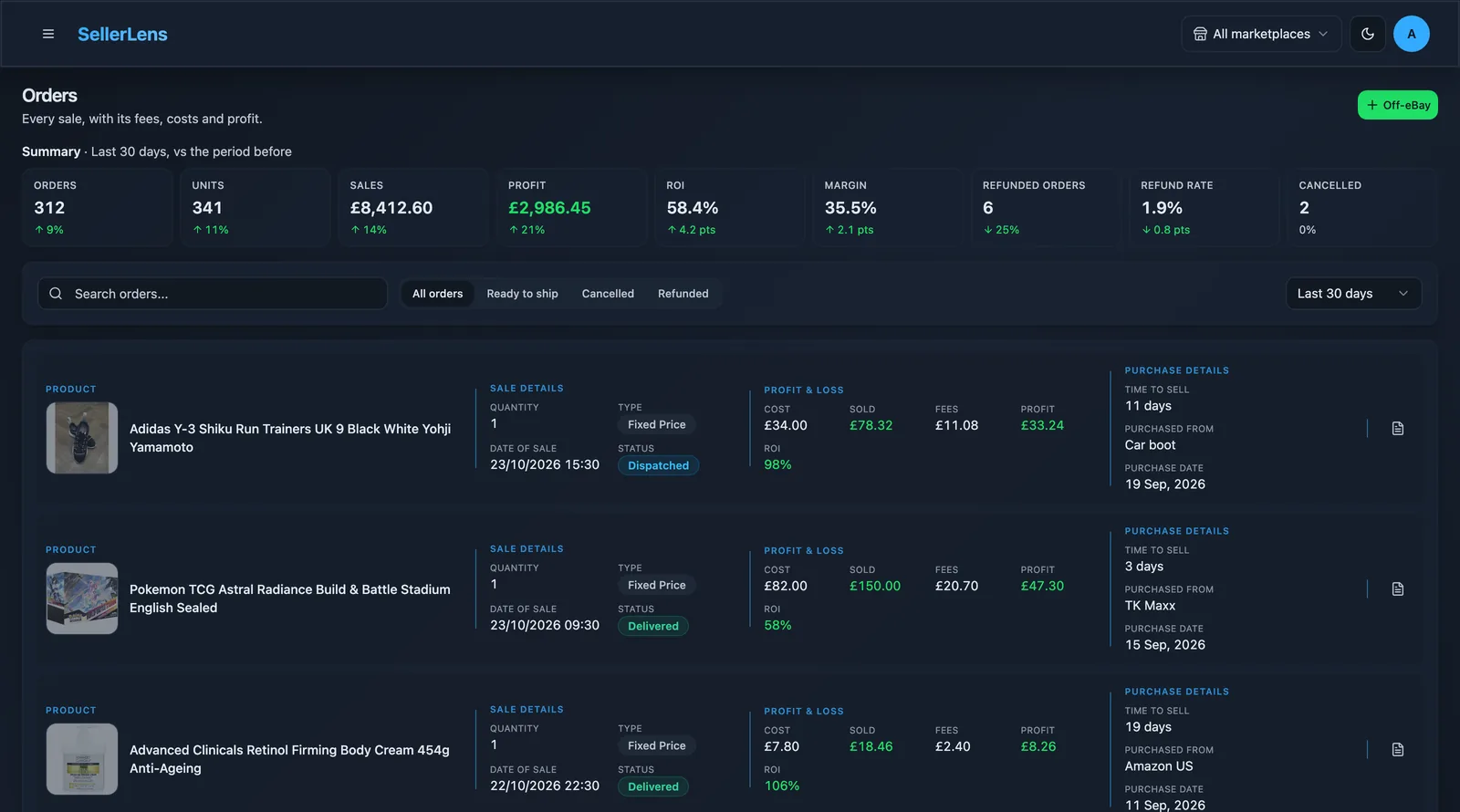
Orders with the full fee breakdown
Every order shows the final value fee, 30p charge, promoted listing fee, postage label cost and your cost of goods, so you know the true profit per sale.
Step 3
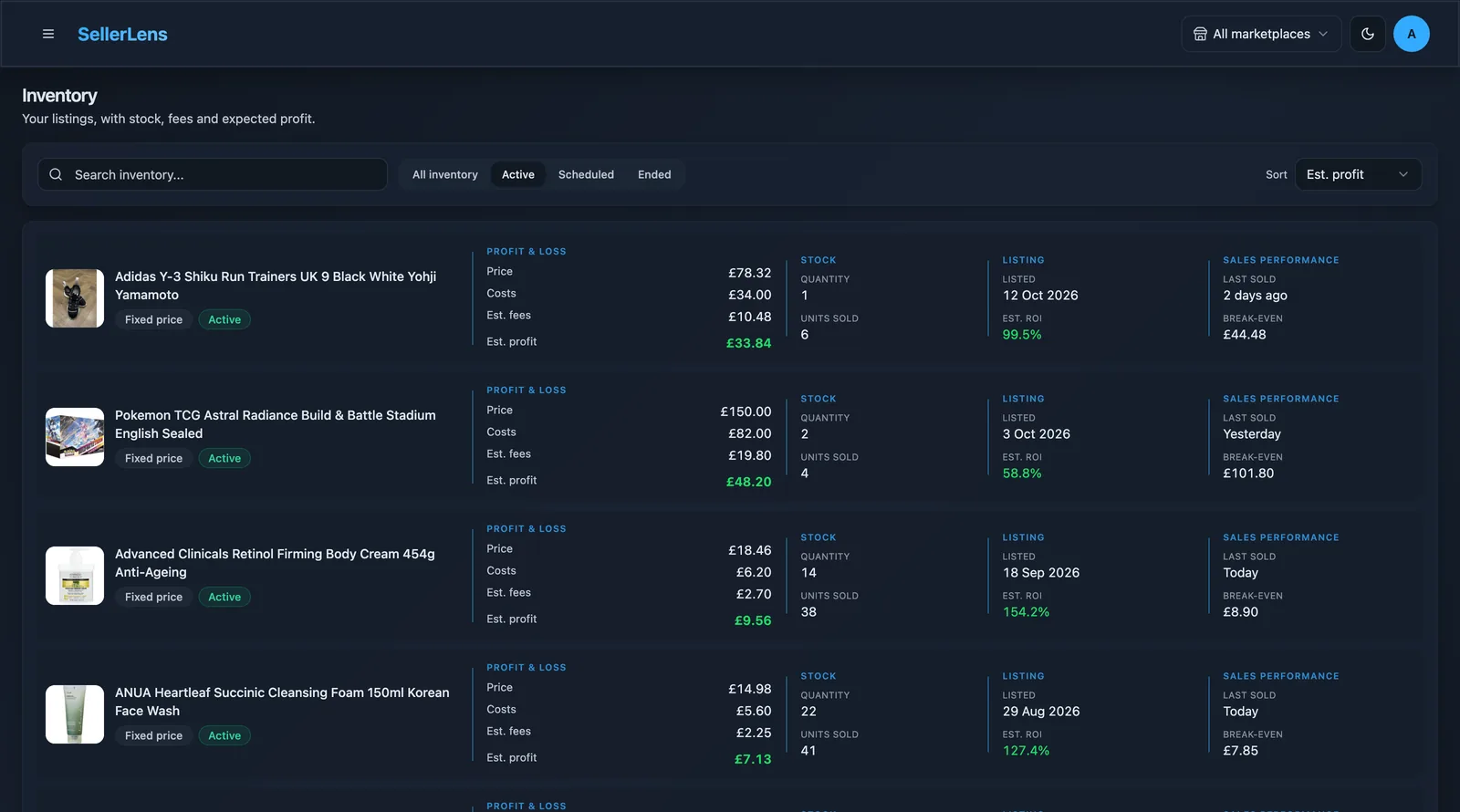
Inventory with profit per listing
Track how each active listing is performing, with sell-through rate, average margin and stock-on-hand based on your cost of goods.
Step 4
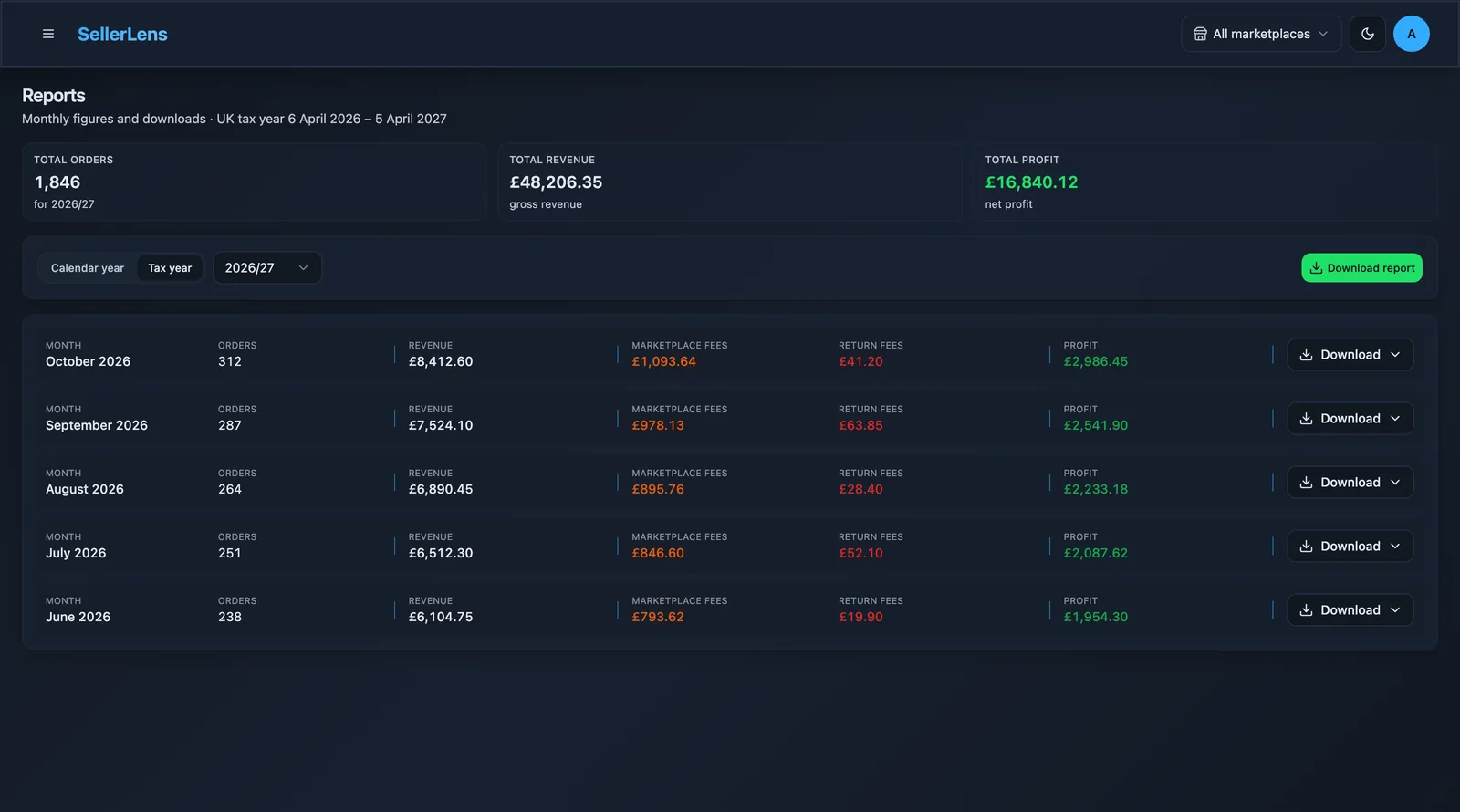
Reports ready for your accountant
Export monthly profit and loss, VAT breakdowns and full order history to Excel in one click.
Ready to see it on your own data?
- Connects to eBay in 30 seconds
- Imports your full eBay history automatically
- 7-day free trial, no card required